Chevrolet Cobalt Service & Repair Manual: Cooling Fan, Replace
| 1. |
Disconnect cooling fan harness electrical
connector. |
| 2. |
Disconnect fan wires and relays from
shroud. |
| 3. |
Raise and support the vehicle. |
| 4. |
Remove cooling fan assembly from radiator
by pushing upward on fan shroud to unsnap retaining features. Position
cooling fan assembly away from radiator. |
| 5. |
Remove air dam push-in fasteners,
Fig. 1, then the air dam. |
| 6. |
Remove condenser mounting bolts, then
slide condenser downward to disengage upper mounting tabs from radiator. |
| 7. |
Remove lefthand and righthand engine
splash shield to radiator mount push-in retainers. |
| 8. |
Remove lower radiator mounts, brackets,
and bolts, Fig. 2. Support radiator and condenser. |
| 9. |
Tilt radiator and condenser forward
in vehicle, Fig. 3.Remove the cooling fan assembly
from vehicle. |
| 10. |
Reverse procedure to install, noting
the following: |
| |
a. |
Ensure upper radiator mount pins align
with upper radiator mounts. |
| |
b. |
Torque condenser tube clip screw
to 53 inch lbs. |
| |
c. |
Torque lower radiator mounts,
brackets, and bolts to 18 ft. lbs. |
|
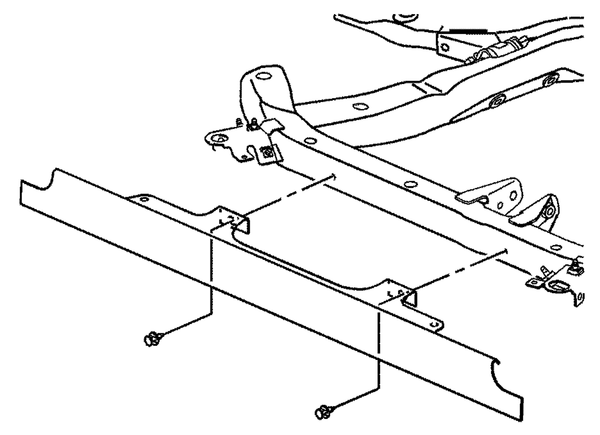
Fig. 1 Radiator air dam removal
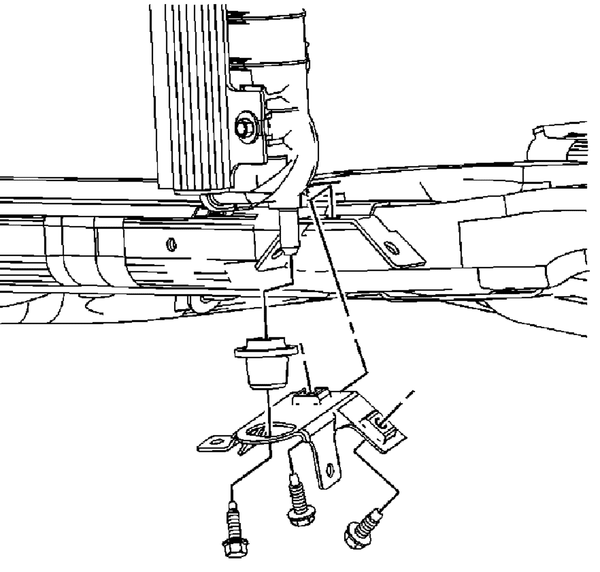
Fig. 2 Lower radiator mounts, brackets & bolt removal
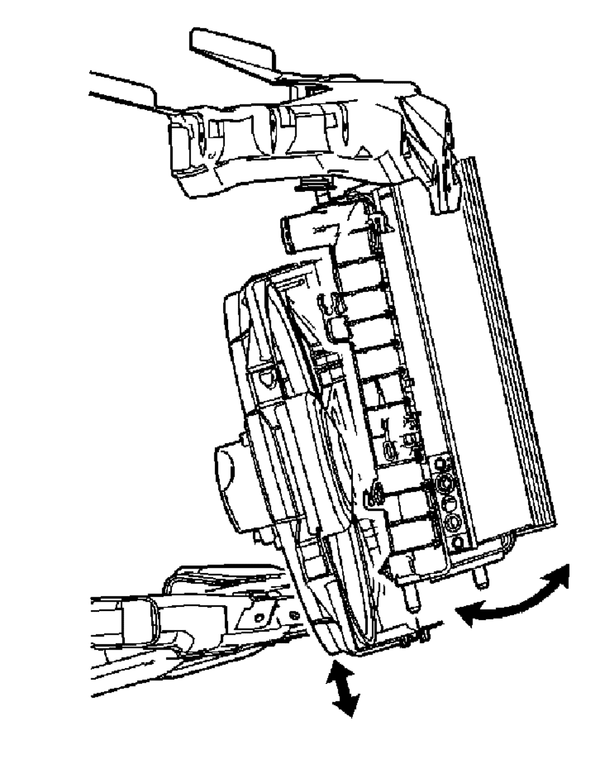
Fig. 3 Cooling fan and shroud assembly replacement
1.
Disconnect cooling fan harness electrical
connector.
2.
Disconnect fan wires and relays from
shroud.
3.
...
Chevrolet Cobalt Owners Manual
Chevrolet Cobalt Service Manual

 Cooling Fan Blade, Replace
 General Service